
moved block migration path (Terraform 1.9+), corrected the deprecation status of null_resource, and added notes about OpenTofu compatibility and Terraform 1.14 action blocks.Terraform version 1.4 brought a range of new features, including improved run output in Terraform Cloud, the ability to use OPA policy results in the CLI, and a built-in alternative to the null resource — terraform_data.
In this blog post, I want to demonstrate and explain the terraform_data resource that serves two purposes:
- firstly, it allows arbitrary values to be stored and used afterward to implement lifecycle triggers of other resources
- secondly, it can be used to trigger provisioners when there isn’t a more appropriate managed resource available.
For those of you, who are familiar with the null provider, the terraform_data resource might look very similar. And you’re right!
Rather than being a separate provider, the terraform_data managed resource now offers the same capabilities as an integrated feature. Pretty cool!
While the null provider is still available and has not been formally deprecated (as of April 2026, v3.2.4), the terraform_data is the recommended replacement for null_resource. The null provider registry now includes an official migration guide to terraform_data, and the CDKTF prebuilt bindings for null were archived in December 2025.
The terraform_data resource has two optional arguments, input and triggers_replace, and its configuration looks as follows:
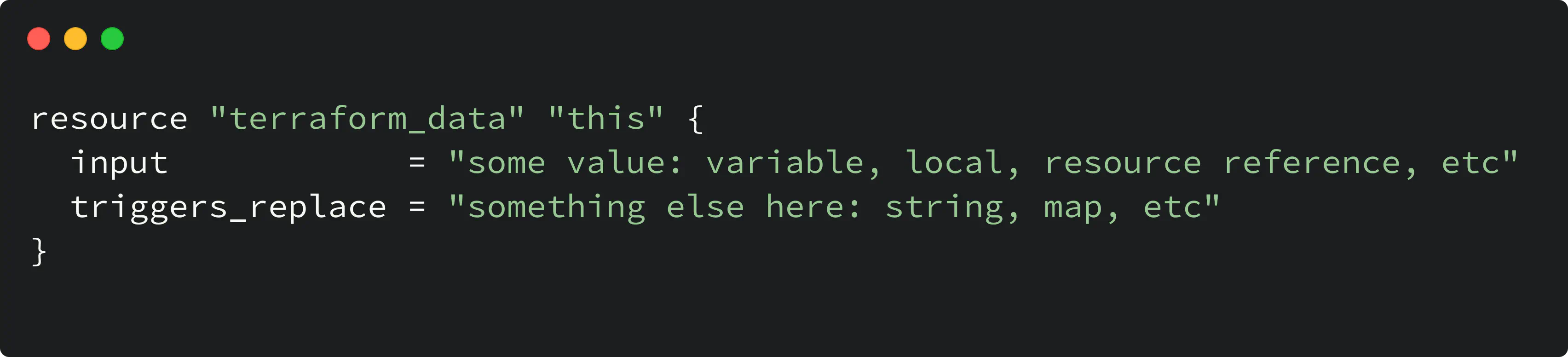
terraform data resource arguments
- The
input(optional) stores the value that is passed to the resource - The
triggers_replace(optional) is a value that triggers resource replacement when changes.
There are two attributes, in addition to the arguments, which are stored in the state: id and output after the resource is created. Let’s take a look:
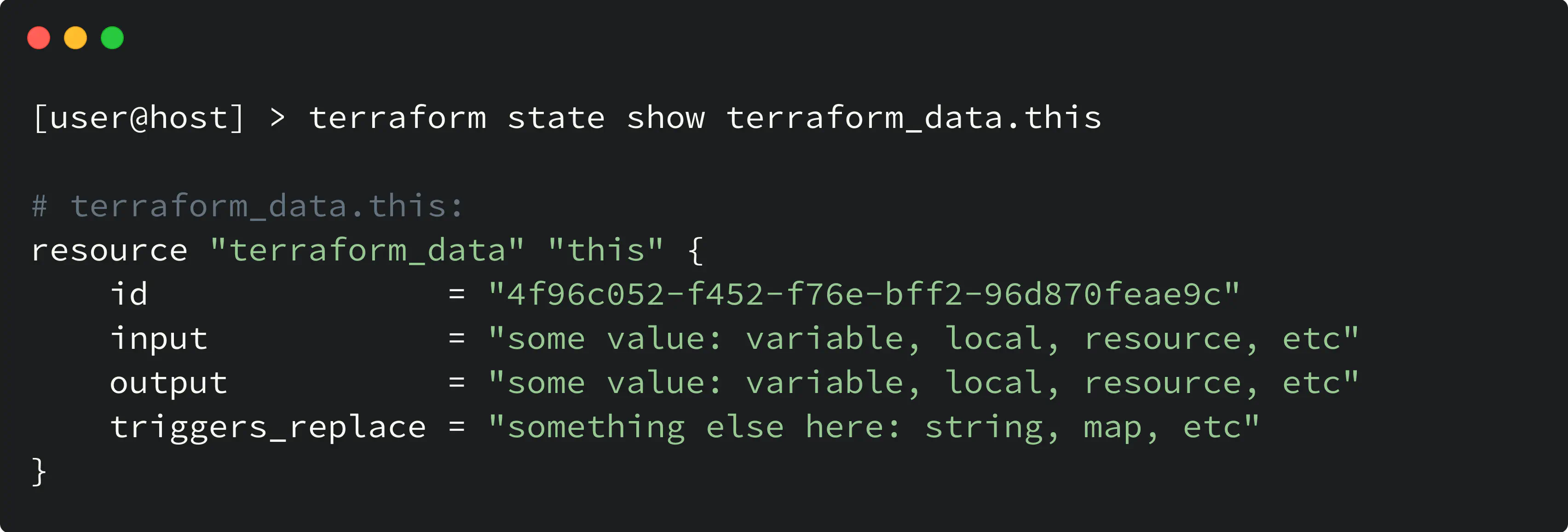
terraform data resource attributes
- The
outputattribute is computed based on the value of theinput - The
idis just a unique value of the resource instance in the state (as for any other resource).
Use case for terraform_data with replace_triggered_by
Let’s take a look at the first use case for the terraform_data resource. It is the ability to trigger resource replacement based on the value of the input argument.
A bit of context here: the replace_triggered_by argument of the resource lifecycle meta-argument allows you to trigger resource replacement based on another referenced resource or its attribute.
replace_triggered_by, you can check another blog post that explains it.The replace_triggered_by is a powerful feature, but here is the thing about it: only a resource or its attribute must be specified, and you cannot use a variable or a local value for replace_triggered_by.
But with terraform_data, you can indirectly initiate another resource replacement by using either a variable or an expression within a local value for the input argument.
Let me give you an example here. Consider the following code:
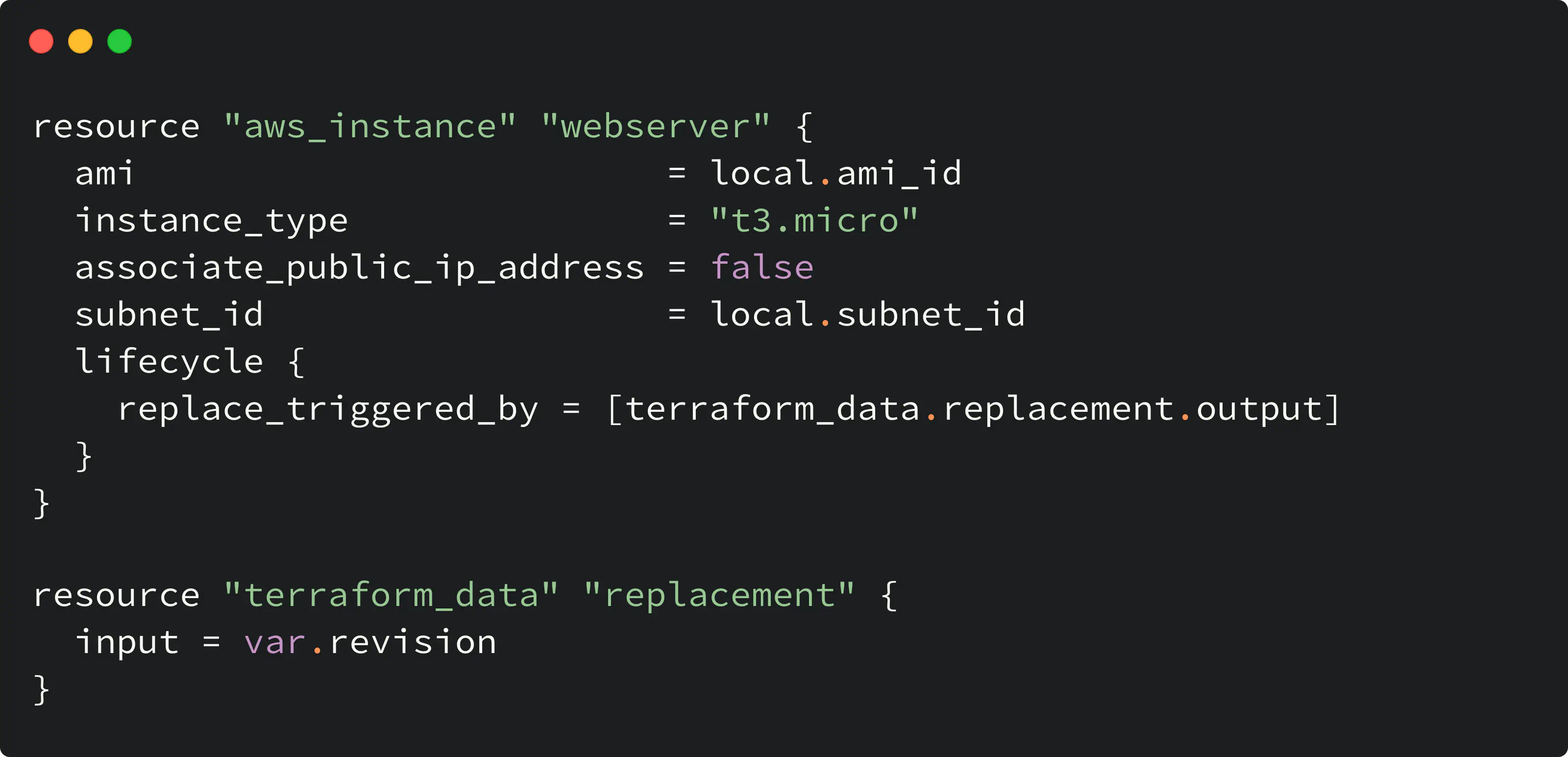
trigger replacement based on input variable
By modifying the revision variable, the next Terraform plan will suggest a replacement action against aws_instance.webserver:
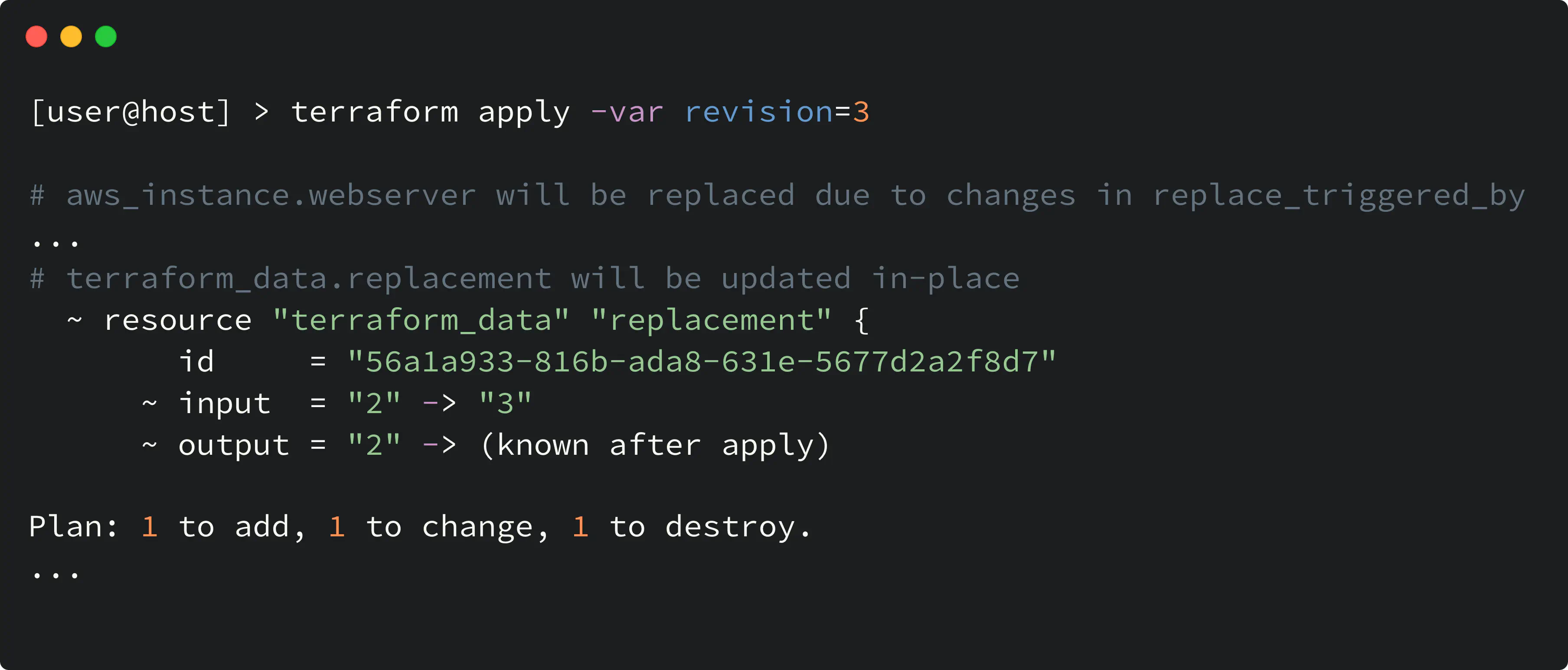
terraform_data with replace_triggered_by
More Terraform deep-dives and platform engineering insights — subscribe.
Use case for terraform_data with provisioner
Before we start: HashiCorp suggests (and I also support that) avoiding provisioner usage unless you have no other options left. One of the reasons — additional, implicit, and unobvious dependency that appears in the codebase — the binary, which is called inside the provisioner block, must be present on the machine.
But let’s be real, the provisioner feature is still kicking, and there’s always that one unique project that needs it.
Here is the code snippet that demonstrates the usage of the provisioner within the terraform_data resource:
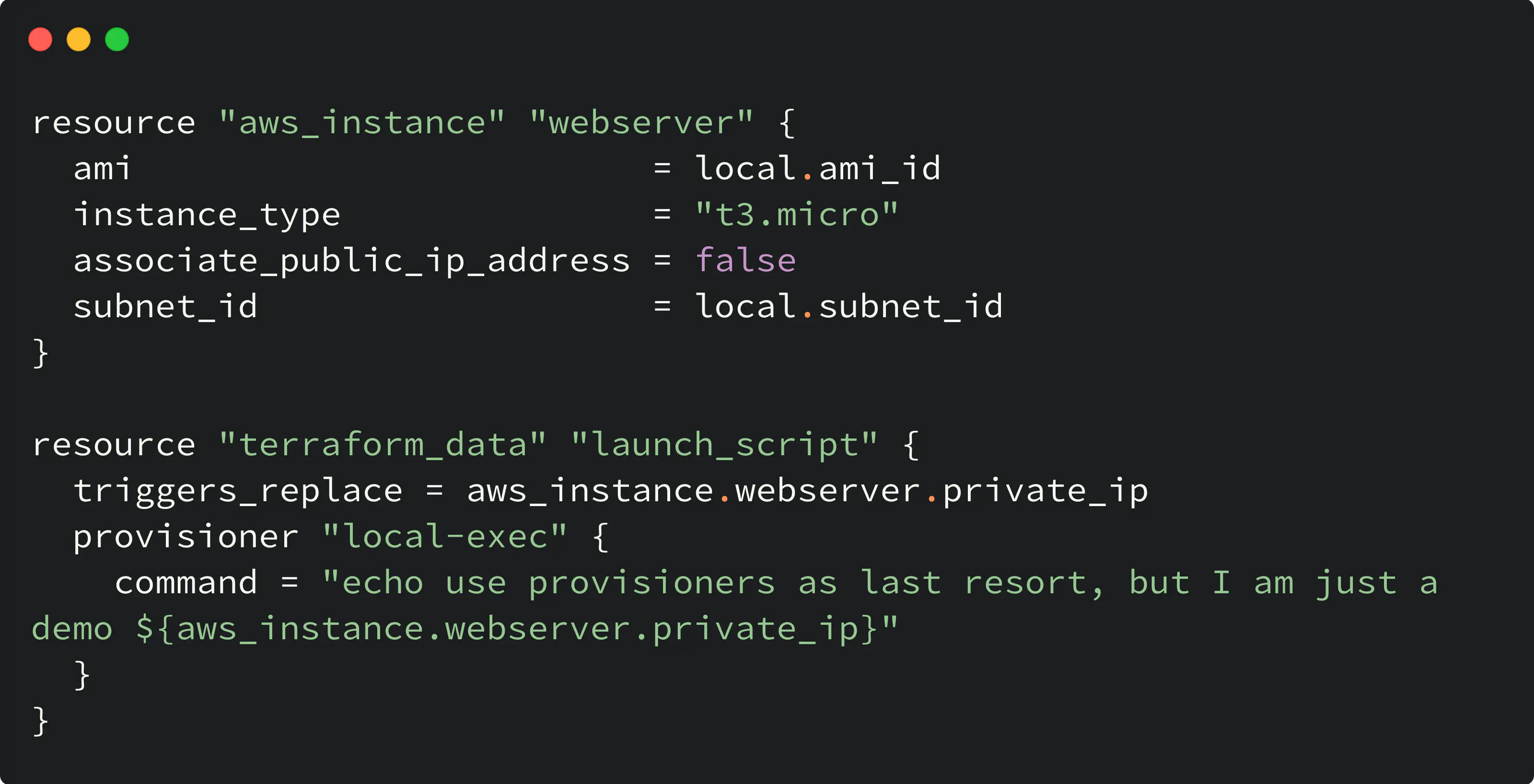
terraform_data with provisioner
In this example, the following happens:
- When resources are created the first time, the provisioner inside
terraform_dataruns - Sequential plan/apply will trigger another execution of the provisioner only when the private IP of the instance (aws_instance.webserver.private_ip) changes because that will trigger
terraform_datarecreation. At the same time, no changes to the internal IP mean no provisioner execution.
Migrating from null_resource to terraform_data
Starting with Terraform 1.9, you can use the moved block to migrate existing null_resource instances to terraform_data without destroying and recreating them. This is the smoothest migration path — it preserves state and avoids re-running provisioners.
moved {
  from = null_resource.example
  to   = terraform_data.example
}

resource "terraform_data" "example" {
  triggers_replace = var.trigger_value
}
After running terraform apply with the moved block, Terraform updates the state in place. You can remove the moved block in a subsequent commit once the migration is applied.
One thing to note when migrating: null_resource.triggers is a map(string), while terraform_data.triggers_replace accepts any value type. This means some trigger expressions may need adjustment during migration.
moved block migration requires Terraform 1.9 or later. OpenTofu supports this starting from version 1.10.0.A note on Terraform 1.14 action blocks
Terraform 1.14 introduced action blocks — provider-defined, non-CRUD operations such as invoking a Lambda function or invalidating a CDN cache. For some use cases where terraform_data serves as a provisioner trigger, action blocks may offer a cleaner declarative alternative. This feature is still new, but worth keeping an eye on.
With its ability to store and use values for lifecycle triggers and provisioners, terraform_data is a powerful tool that can enhance your Terraform configuration. It works identically in both Terraform and OpenTofu.
Although the null provider still has its place in the Terraform ecosystem, terraform_data is its evolution, and its integration as a feature is certainly something to be excited about.
Why not give it a try in your next project and see how it can simplify your infrastructure as code workflows? Keep on coding! 🙌